
Running Gemma 4 on an L4 GPU for production server analysis
Dashboard Pro includes an AI analysis feature that reads your server's latest snapshot, compares it against historical trends, and produces a structured health report. The report identifies what is degrading, what needs attention now, and what is likely to fail next. Every piece of that analysis runs on Furnace, our self-hosted Gemma 4 inference on an NVIDIA L4 in Amsterdam, accessible only over WireGuard from our application servers. No data leaves our network. No third-party API sees your IPMI readings, drive serial numbers, or network topology.
Getting here took more detours than we expected. This post covers the model selection, the tooling failures, the quantization tradeoffs, and the deployment we ended up with.
Why self-host
The obvious path would be to call the OpenAI or Anthropic API. Both produce excellent results for this kind of structured analysis. We chose not to, for four reasons.
First, the data is sensitive. A Crucible snapshot contains hardware serial numbers, IP addresses, filesystem paths, network interface names, IPMI credentials metadata, and kernel versions. Sending that to a third-party API, even one with strong privacy policies, is a hard sell to operators who chose bare metal specifically to control their infrastructure. It would be ironic to monitor self-hosted servers by shipping their telemetry to someone else's cloud.
Second, dependency. Building a core product feature on a third-party API means inheriting their outages, their rate limits, their pricing changes, and their model deprecation schedule. We have seen too many products scramble when an API provider changes terms or retires a model version.
Third, cost predictability. With a self-hosted model, the GPU is a fixed monthly cost regardless of how many analyses we run. With an API, cost scales linearly with usage. For a feature that runs on every server snapshot, the API costs would grow with every customer we add.
Fourth, latency. Our application servers and the inference GPU sit on the same WireGuard mesh. A request does not traverse the public internet, negotiate TLS with an external endpoint, or wait in a shared queue. The round trip is measured in milliseconds of network overhead plus the actual generation time.
Choosing the model
We needed a model that could reliably produce structured JSON output from semi-structured server telemetry input. The output format is a health report with categorized findings, severity levels, evidence references, and recommended actions. Getting a model to produce this consistently, without hallucinating alerts or dropping fields, is harder than it sounds.
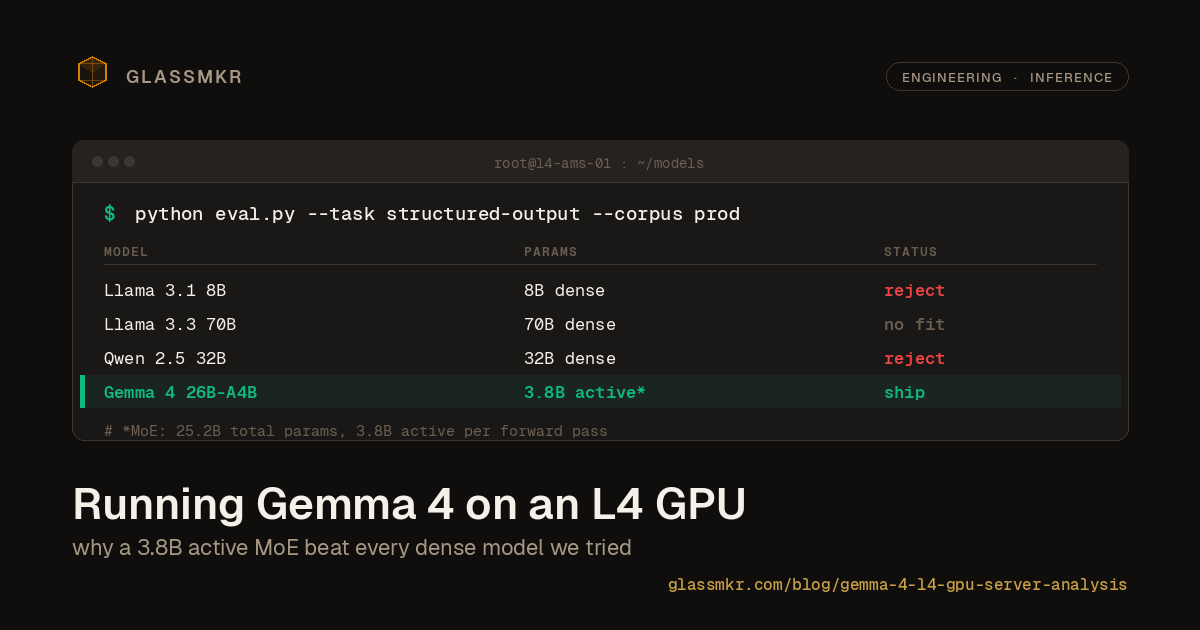
We started with Llama 3.1 8B. It fit easily on the L4 and generated fast, but it struggled with the structured output requirements. It would frequently drop JSON fields, hallucinate alert conditions that did not exist in the input data, or produce findings that contradicted the evidence it cited. Bumping to Llama 3.3 70B was not an option; it does not fit on 24GB even at aggressive quantization levels.
We evaluated Qwen 2.5 in several sizes. The 7B variant had similar issues to Llama 3.1 8B. The 32B variant produced better results but required heavy quantization to fit, which brought its own reliability problems.
Then Google released Gemma 4 with the 26B-A4B variant. This is a Mixture of Experts model: 25.2 billion total parameters, but only 3.8 billion active per forward pass. The MoE architecture is what makes this work on 24GB. You get the reasoning quality of a much larger model with the inference cost and memory footprint of a small one. The license is Apache 2.0, which matters for a commercial product. We tested it on a corpus of real Crucible snapshots and the structured output quality was noticeably better than anything else we had tried at this memory budget.
Why vLLM failed
Our first deployment attempt used vLLM, which is the standard choice for production LLM serving. It supports paged attention, continuous batching, and the OpenAI-compatible API format out of the box. We expected this to be straightforward.
It was not. Gemma 4's MoE weights are distributed in a fused 3D expert tensor format that vLLM did not support at the time we were deploying. The model would either fail to load or produce garbage output depending on the vLLM version. This is not a criticism of vLLM; MoE support has matured since, and the Gemma 4 path likely works now. But we needed something running in production then, not eventually.
We fell back to llama.cpp. The llama.cpp project had added Gemma 4 support quickly after release, and critically, it works with GGUF files where the expert tensors are already properly unpacked. The tradeoff is that llama.cpp's batching and scheduling are less sophisticated than vLLM's. For our use case, where requests come in one at a time from a background job queue rather than from concurrent users, this does not matter.
Quantization in practice
The Gemma 4 26B-A4B model at full BF16 precision requires roughly 50GB of memory. The L4 has 24GB of VRAM. Quantization is not optional.
We tested several quantization levels using GGUF files from Unsloth's repository. The critical question was not speed or memory usage; it was output reliability. Specifically: does the model still produce valid JSON with all required fields, correct severity assessments, and evidence that actually matches the input data?
At Q2_K quantization, the model fit comfortably but the output quality was unacceptable. It would frequently produce malformed JSON, assign wrong severity levels, or generate findings that referenced sensors not present in the input. Roughly one in three analyses needed to be discarded and retried, which defeats the purpose of automated analysis.
The sweet spot turned out to be UD-Q4_K_XL, one of Unsloth's ultra-dynamic quantization variants. This lands at approximately 18GB on disk, which fits in the L4's 24GB VRAM with room for the KV cache and context. The output quality at this quantization level is close enough to BF16 that we cannot distinguish them in blind evaluations on our test corpus. JSON validity is near-perfect, severity assignments are consistent, and the model does not hallucinate findings.
The jump from Q2 to Q4 was not gradual. Q3 variants were marginal. Q4 was where structured output became reliable. If you are deploying a model for structured output rather than conversational use, do not assume that lower quantization levels will "mostly work." Test on your actual output format with your actual data.
The deployment
The inference server runs as a systemd service wrapping llama-server from the llama.cpp project. The key configuration choices:
[Service]
ExecStart=/opt/llama.cpp/build/bin/llama-server \
  --model /models/gemma-4-26b-a4b-ud-q4_k_xl.gguf \
  --port 8080 \
  --host 0.0.0.0 \
  --ctx-size 8192 \
  --n-gpu-layers 99 \
  --flash-attn \
  --threads 4
Restart=always
RestartSec=5
A few notes on these flags. --n-gpu-layers 99 offloads all layers to the GPU; with the Q4_K_XL quantization, the entire model fits in VRAM with no CPU offloading needed. --flash-attn enables flash attention, which reduces memory usage for the KV cache and improves throughput. --ctx-size 8192 gives us enough context for a full Crucible snapshot plus the system prompt plus the generated output. We could go higher, but 8K has been sufficient for every server we have tested against. --threads 4 controls the CPU threads for any operations that are not GPU-accelerated.
The server exposes an OpenAI-compatible /v1/chat/completions endpoint. Our application code calls it the same way it would call any OpenAI-compatible API. If we ever switch models or serving infrastructure, the application layer does not need to change.
Network access is restricted to the WireGuard interface. The inference server binds to 0.0.0.0 but the host firewall only allows connections on port 8080 from the WireGuard subnet. The application servers, which run Dashboard's backend, connect over the WireGuard mesh. There is no public endpoint, no authentication token to leak, and no way to reach the model from outside our network.
Prompting for structured infrastructure output
Getting reliable structured output from an LLM is mostly a prompting problem. We are not going to share the full system prompt, but the approach has a few components worth discussing.
Role definition
The system prompt establishes the model as a senior infrastructure engineer performing a health review. This framing matters. Without it, the model tends to produce generic advice. With it, the output is more specific and operationally relevant. It knows to flag a reallocated sector count of 50 as a drive replacement signal rather than saying "monitor this value."
Schema enforcement
The prompt includes the exact JSON schema the output must conform to. Every field is documented with its type, allowed values, and a brief description of what it represents. We found that including the schema inline in the system prompt produces better conformance than relying on function calling or JSON mode alone. The model has seen enough JSON schema in its training data that it treats it as a specification, not a suggestion.
Negative examples
We include examples of bad output: findings that reference sensors not in the data, severity levels that do not match the evidence, recommendations that are too vague to be actionable. Showing the model what not to do was more effective than adding more positive examples. This was counterintuitive but consistent across our testing.
Threshold context
The prompt includes a condensed version of our alert thresholds and what they mean. For example, it knows that CPU temperature above 90C is critical, that SMART reallocated sector counts above 100 warrant replacement planning, and that a RAID array in degraded state is a P1 regardless of current performance. Without this context, the model makes its own judgment calls about severity, and those calls are inconsistent.
Active alert injection
If the server currently has active Dashboard alerts, those are injected into the user message alongside the raw snapshot data. This gives the model context about what we have already flagged, so it can reference existing alerts in its analysis rather than duplicating them. It also lets the model correlate findings: "the high CPU temperature alert on core 0 is likely related to the fan speed decrease observed on FAN3."
The prompt has gone through many iterations. Each iteration was driven by failures on real production data, not by theoretical improvements. When a model analysis missed something obvious or produced a bad recommendation, we traced it back to a prompt deficiency and fixed it. This iterative process is more important than getting the initial prompt right.
What we would do differently
If we were starting this project over, we would change three things.
First, we would skip vLLM entirely and start with llama.cpp. For a single-GPU, single-model deployment serving sequential requests, llama.cpp is simpler to operate and more flexible with model formats. vLLM's advantages in batching and scheduling only matter at a scale we have not reached yet. We lost about a week debugging vLLM's MoE support before switching.
Second, we would build a test corpus of real Crucible snapshots earlier. We spent the first few days testing with synthetic data, which gave us false confidence about model quality. The real snapshots are messier: they have unexpected sensor names, unusual RAID configurations, edge cases in SMART data. Testing on synthetic data told us the model could produce JSON. Testing on real data told us whether the JSON was actually useful.
Third, we would build the prompt iteratively from the start rather than trying to write a comprehensive prompt up front. The initial "complete" prompt we wrote was worse than the fifth iteration of a minimal prompt that we expanded based on real failures. Start with the simplest prompt that produces the right JSON structure, then add constraints as you encounter failure modes.
Where this lands
The NVIDIA L4 is a 72W TDP card designed for inference. It is not glamorous and it does not appear in benchmark leaderboards. But for serving a single quantized MoE model to a production application, it is exactly the right tool. The Gemma 4 MoE architecture is what makes the whole thing work: 25.2 billion parameters of knowledge compressed into a 3.8 billion active parameter inference budget that fits comfortably on a 24GB card.
Today (May 2026), Furnace surfaces a verdict prior (recoverable, investigation, or vendor-side) on every alert. This is Integration 1, shipped 2026-05-20. Per-snapshot LLM narration ships in Integration 2 after 2 to 4 weeks of priors-only usage data; the per-snapshot pipeline (corpus, prompt, validator, fallbacks) is what the rest of this post describes, and it is what Integration 2 will switch on. The model identifies degradation patterns that rule-based alerts miss, correlates findings across subsystems, and produces actionable recommendations. It is not perfect; it occasionally misses nuance that a human SRE would catch, and it can be overly cautious about severity levels. But it catches things that operators would otherwise discover only after an outage.
Two follow-up posts cover what we built around this stack: how Qwen3.6 stacks up against Gemma 4 for narration, and how we co-locate quarterly LightGBM training on the same L4 without disturbing inference.
If you are running bare metal and want self-hosted AI health analysis without sending your infrastructure data to a third party, Dashboard Pro is available now.